
Stop Serving Your Robot Assistant Roofie Coladas
10 minutes to an AI collaborator that knows your newsletter better than your mom claims to.

Sure, Claude has memory. Like you remember New Year’s Eve 2019. Fragments. Vibes. A bathroom-line confessional where you told a stranger about that thing you did in college that you swore you’d take to the grave. Name started with M. Or J. The secret outlived your dignity by approximately four Jägerbombs.
That’s Claude’s memory. Scattered. Context-free. It might recall you have a newsletter. Couldn’t tell you who reads it, what you’ve written, or why the word “synergy” makes you want to lie down on the floor and simply not get up. EVER.
So every session still starts the same way. You fat-finger your request into the chat box, season it with context, and get back something... fine. Usable. The kind of content that doesn’t embarrass you but doesn’t stop anyone mid-scroll either. Another drop in the ocean of “perfectly adequate” that exists only to be published and immediately forgotten.
Then you spend 45 minutes deleting every “That’s not [thing]. That’s [slightly reframed thing].” like AI just invented contrast.
The slop factories don’t have this problem. They’re not trying to sound like anyone. You are. And you’re doing it with a collaborator who’s nursing a pounding hangover, still piecing together last night from credit card receipts and fragmented apologies.
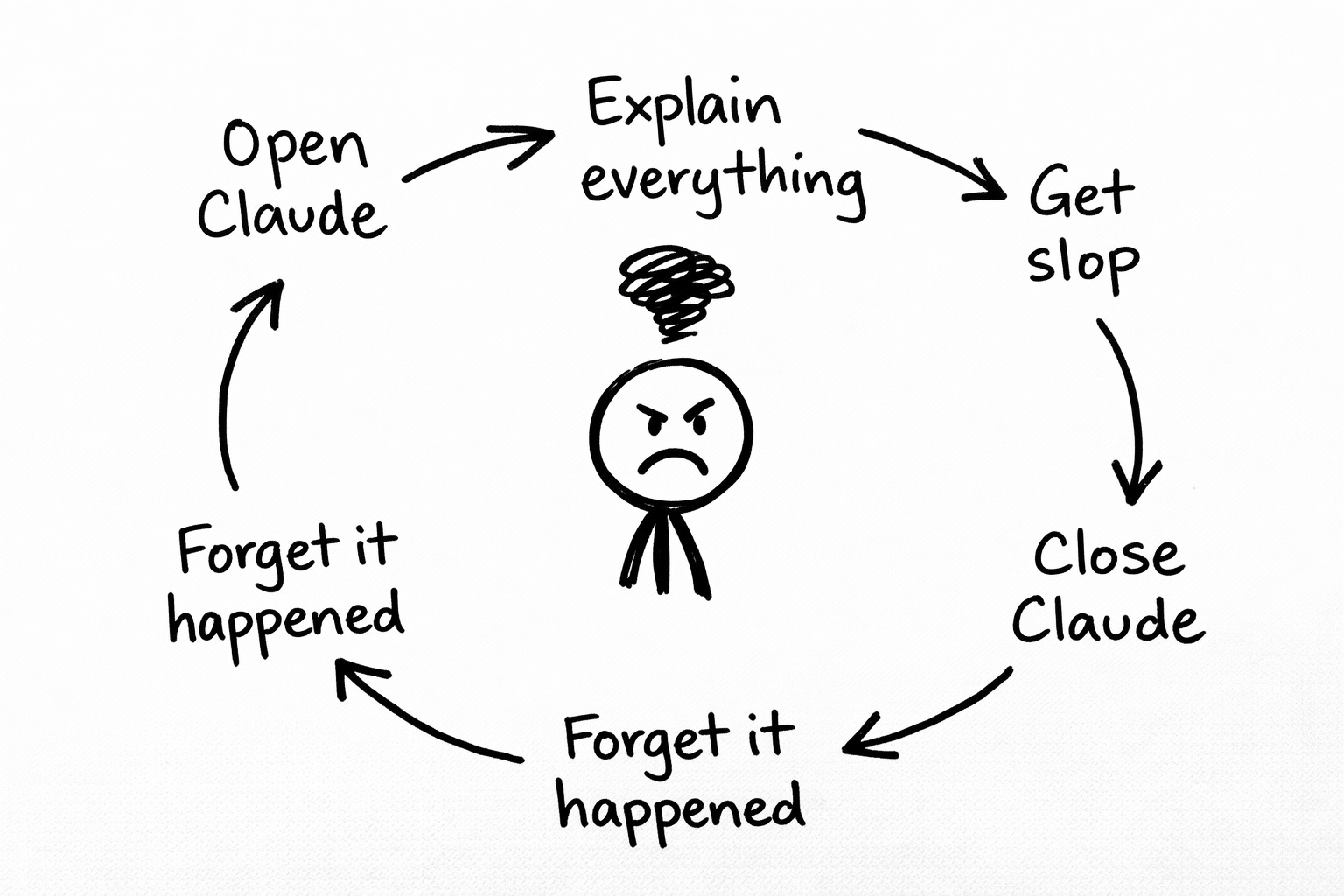
There’s a fix. Takes ten minutes. Costs nothing.
Today, we’re building you a newsletter-specific collaborator. One that already knows who you write for, what topics you cover, what you sound like, and which words make you want to scream into a pillow.
It’s called a Claude Project. And once it’s set up, every session starts briefed instead of blank. No more introductions. No more steering. No more “fine.”
Copy, paste, fill in the blanks. Feel mildly superior to everyone still doing this the hard way.
(That last part is optional but highly encouraged.)
Step 1: Create a Project
Open Claude. Left sidebar. Click “Projects.” Click “Create a new project.” Name it something obvious like “My Newsletter” or whatever you call this thing you’ve convinced yourself people want to read.
Congratulations. You now have a container where every conversation shares the same persistent context. Claude remembers what you told it across every chat inside this Project.
This is not complicated technology. It’s a folder. With a memory. The bar for “revolutionary AI workflow” is apparently lying in a ditch somewhere and we’re still finding ways to trip over it.
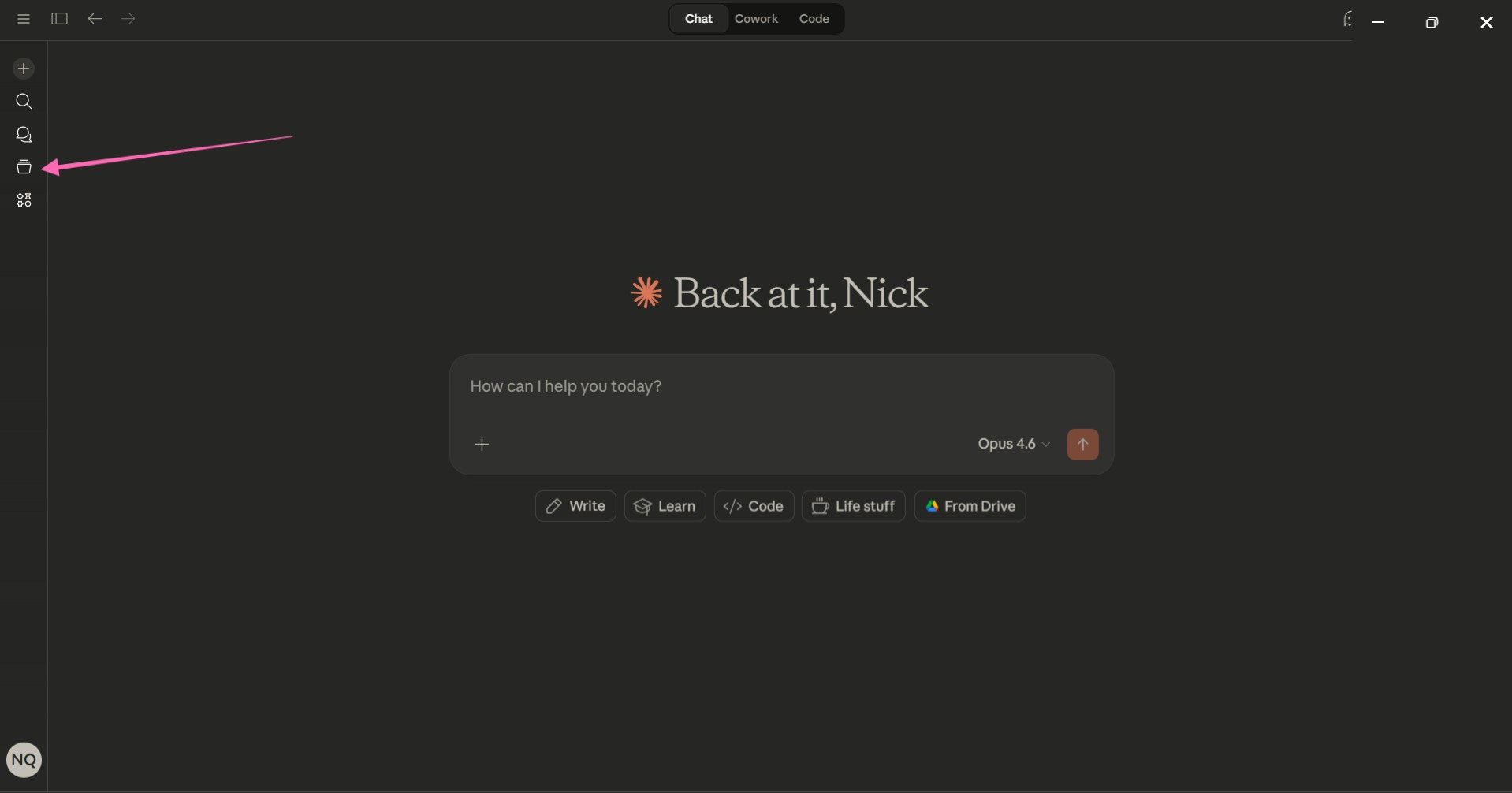
Step 2: Paste This Into Your Custom Instructions
Click “Set custom instructions” inside your new Project. Paste the following and fill in the bracketed sections with something resembling honesty about what you actually do:
Who I am:
I write [NEWSLETTER NAME], a [FREQUENCY] newsletter about [CORE TOPIC] for [WHO YOUR READERS ARE].

My readers:
They are [2-3 SENTENCES ABOUT YOUR AUDIENCE]. They are NOT [WHO YOUR AUDIENCE IS NOT].

My content approach:
I write about these core topics: [LIST 3-5 CONTENT PILLARS]. My posts are typically [WORD COUNT RANGE] words. I publish [SCHEDULE].

How I sound:
My writing voice is [3-5 DESCRIPTORS]. I tend to [STRUCTURAL HABIT]. I avoid [THINGS YOU NEVER DO].

When we work together:
Your role is collaborator, not ghostwriter. Don't write polished final drafts. Give me raw material, rough structures, and honest pushback I can work with. If something I'm writing is unclear or weak, say so. Ask me questions when you need more context rather than guessing.
Be specific. Brutally specific.
“Conversational” means nothing to AI. You might as well write “make it good” and hope for the best. “Short paragraphs, punchy sentences, occasional profanity, heavy on concrete examples, allergic to corporate jargon” gives it something to actually work with.
If you write “my voice is authentic and engaging,” Claude will interpret that as permission to sound like a LinkedIn post conceived during a team-building exercise and birthed onto a motivational poster.
(Which, technically, is a voice. The voice of someone who’s died inside but still needs to hit quarterly content benchmarks.)
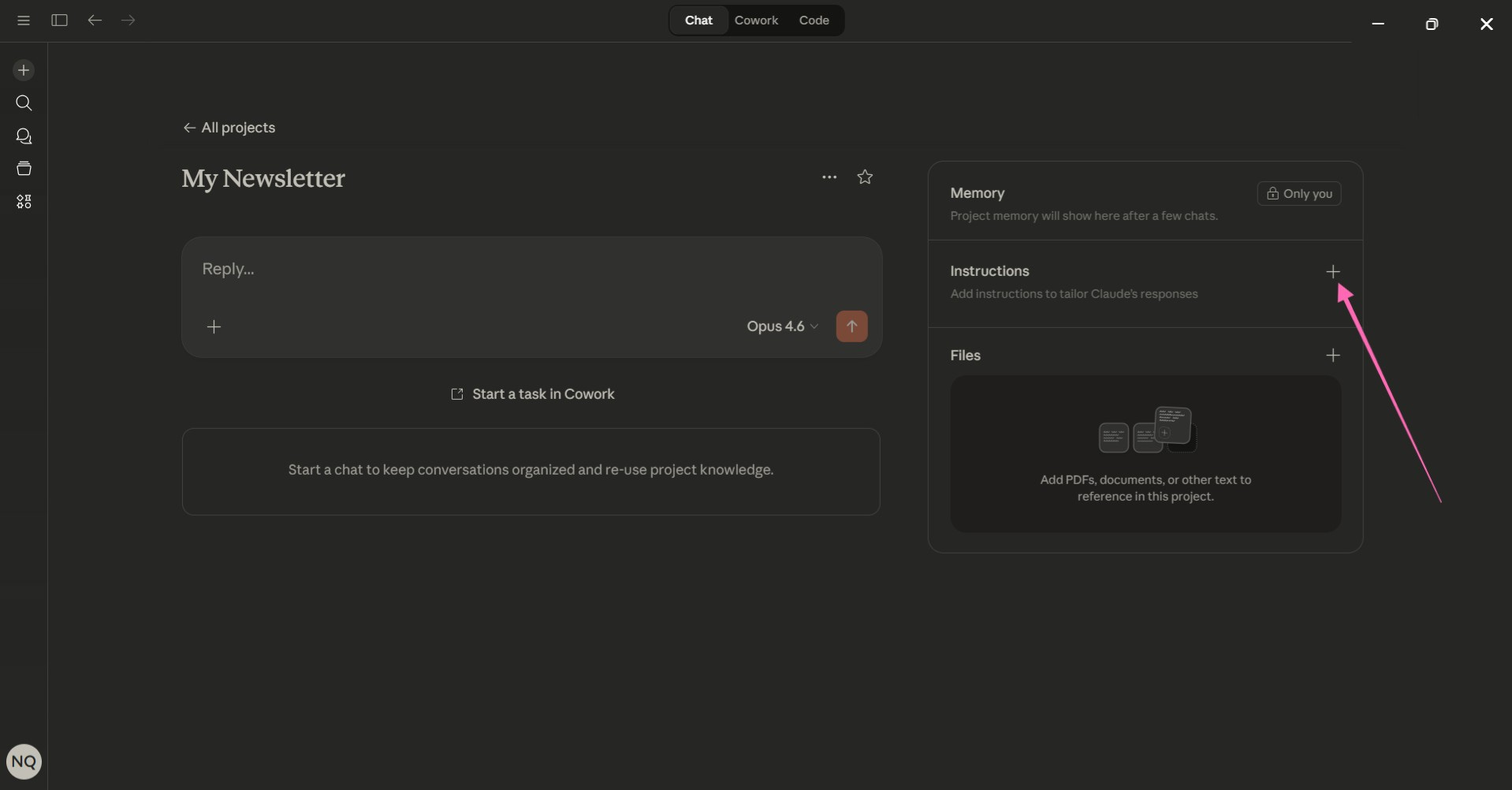
Step 3: Add This to Your Knowledge Base
Inside the same Project, click “Add knowledge.” Upload files or paste text. (I’m a paster. You do you.) Create a document called “Newsletter Context” and paste this template:
My best-performing posts:
* [TITLE 1]: [ONE SENTENCE on what worked]
* [TITLE 2]: [ONE SENTENCE]
* [TITLE 3]: [ONE SENTENCE]

Topics I've already covered:
[LIST 10-15 TOPICS/TITLES you've published]

My content pillars:
1. [PILLAR 1]: [ONE SENTENCE explaining your angle]
2. [PILLAR 2]: [ONE SENTENCE]
3. [PILLAR 3]: [ONE SENTENCE]

Words and phrases I never use:
[LIST THEM]

Phrases and patterns that are "very me":
[LIST THEM]
The “topics I’ve already covered” list prevents Claude from pitching you ideas you wrote six months ago like they’re fresh insights. (Nothing quite like an AI confidently suggesting your own intellectual property back to you.)
The “words I never use” list is more powerful than it sounds. Every creator has these. Corporate buzzwords. Overused transitions. Anything that makes you physically recoil during editing. Mine includes “leverage,” “beige,” and the phrase “it's worth noting.” Deploying any of them in professional writing should trigger an automatic wellness check.
If you can’t name your banned words yet, start paying attention to what makes you cringe. The cringe is data. Your body knows slop before your brain does.
Now Use It
Open a new chat inside your Project. Try:
“I want to write about [TOPIC]. Help me find an angle that fits my publication and audience.”
Notice what’s different.
Claude already knows who you write for. Already knows your content pillars. Already knows what you’ve covered. Already knows you’d rather deep throat a chainsaw than use the word “synergy.”
You’re not starting from zero. You’re starting from context. Like working with someone who’s done the reading versus someone who showed up to the meeting with “so catch me up” energy.
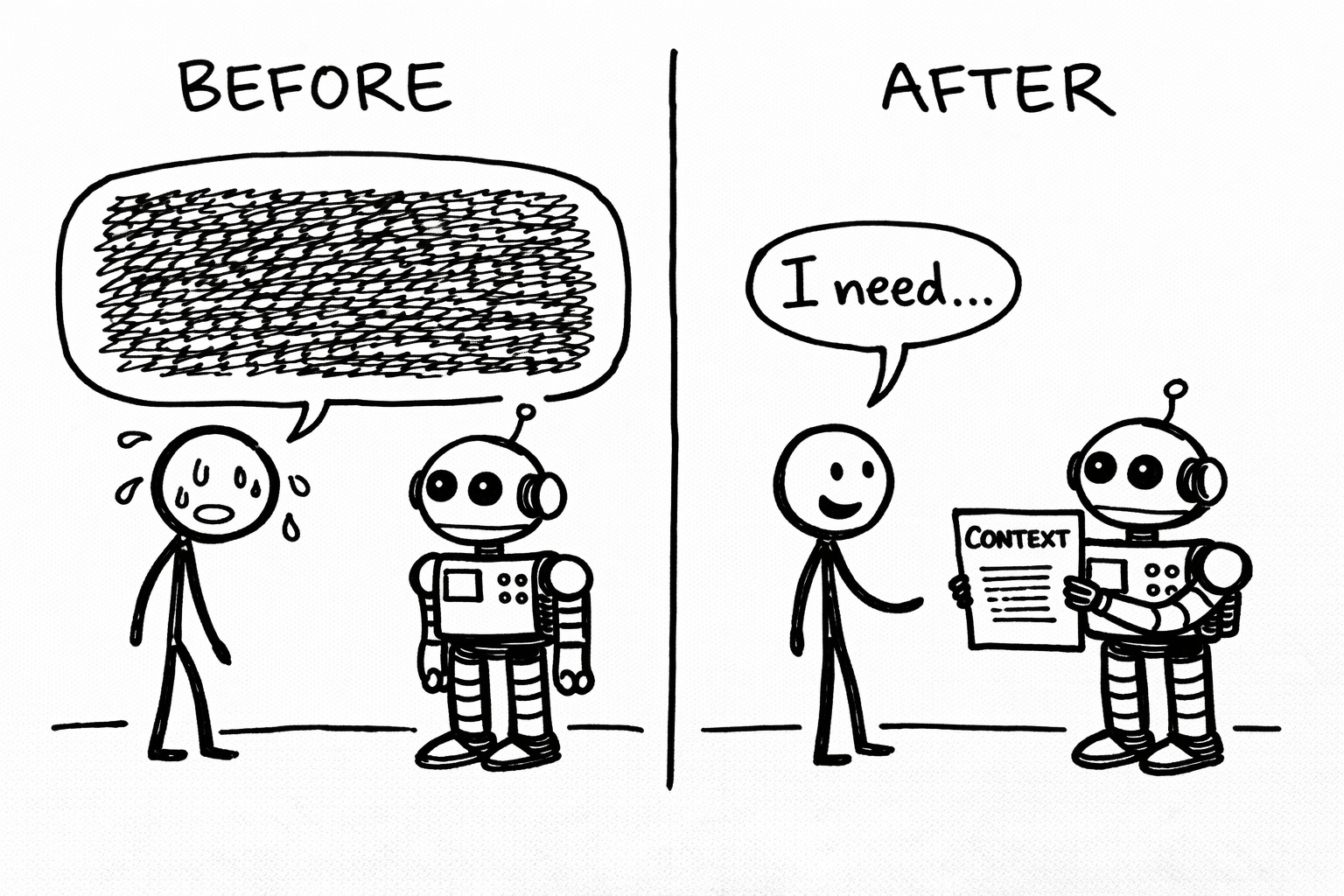
That’s it. Not automation. Not magic. Not some prompt engineering trick that’ll stop working next month. Just an AI that finally knows enough about you to be useful instead of a generic sentence factory hoping you won’t notice it said “drive engagement” again.
Ten minutes of setup. Every session after this starts from a different place entirely.
Some people will read this, nod thoughtfully, bookmark it, and never look at it again. The bookmark folder where ambition goes to die. Some people will spend those ten minutes today and wonder why they wasted months doing this the stupid way.
The AI doesn’t care which group you join. It’ll forget this conversation ever happened.
(Unless you build the Project. Then it won’t. That’s the whole damn point.)
Crafted with love (and AI),
Nick "Your AI's Sponsor" Quick

PS… If you read this and thought “finally, someone who talks about AI like a tool instead of a personality replacement,” you’re my people. Subscribe if you haven’t. And if you know another creator still manually explaining their entire existence to Claude every session like some kind of digital Sisyphus, do them a favor and share this. They’re suffering unnecessarily and probably too polite to admit it.
PPS… The Project setup gives Claude a memory. But memory without voice is just a robot that remembers you exist while still sounding like a corporate press release. The Voiceprint Quick Start Guide is the missing piece. It walks you through documenting the specific patterns that make your writing yours (the phrases you overuse, the rhythm you default to, the words that make you physically ill). Upload that to your Project’s knowledge base and Claude stops being a well-informed stranger. It starts being a collaborator that actually sounds like you. Grab it below. (Yes, it’s free.) 👇